1Panel Self-Hosted Solution: regain control of your data, security, and costs
Why teams choose self-hosting and how 1Panel makes it practical: data sovereignty, stronger security, predictable costs, and one-click deployment for popular open-source alternatives.
Self-hosting is no longer a hobbyist niche. Teams adopt it for three reasons that keep showing up in real IT decisions: data sovereignty, security control, and predictable cost.
The challenge is that “self-hosted” can quickly turn into “self-managed chaos” if every install and upgrade depends on one person and a pile of shell scripts.
This is where 1Panel fits: a modern, open-source Linux server panel that helps you deploy and operate open-source software with a clear, visual workflow.
Why teams choose self-hosting
Data sovereignty (and easier compliance)
With self-hosting, your data stays in your own environment. That can simplify compliance requirements around data residency, auditing, and access control—especially when you handle customer information or internal documents.
Stronger security boundaries
Self-hosting gives you more direct control over where sensitive data lives and who can access it. It also reduces the number of third parties that can touch your data.
Predictable cost (no per-seat surprises)
Many SaaS tools scale pricing by users, seats, or usage tiers. Self-hosting typically shifts cost into a more predictable model: infrastructure you control and operations you can standardize.
What 1Panel adds to the self-hosted equation
If you are evaluating self-hosted alternatives, the most important question is not “Can I run it?” but “Can I run it reliably over time?”
1Panel focuses on the operational layer:
- Fast: one-click deployment, plus a smoother upgrade workflow later.
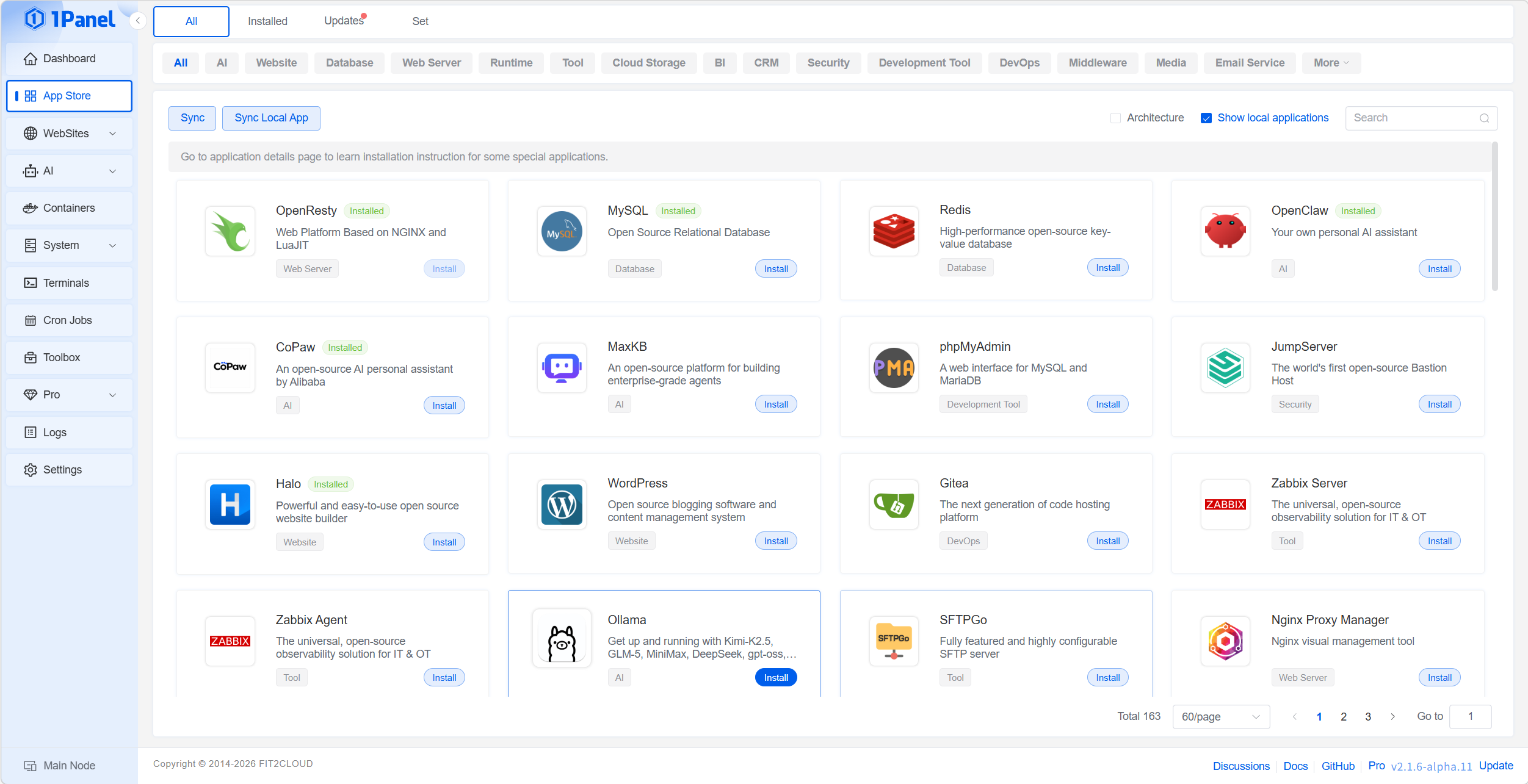
- Complete: an App Store that aggregates widely used open-source software.
- Reliable: built-in security capabilities and support for scheduled backups.
You can start with the English site homepage at /en.html and explore the App Store section for what you can deploy.
Common self-hosted replacements you can deploy with 1Panel
If your goal is to replace a few expensive SaaS tools first, these are popular starting points:
- OpenList (alternative to cloud drive products)
- Bitwarden (password manager alternative to 1Password-style tools)
- RustDesk (remote desktop alternative to TeamViewer-like tools)
- NextCloud (collaboration and file platform alternative to Microsoft 365-style stacks)
- Gitea (Git hosting alternative to GitHub for internal projects)
- Umami (privacy-friendly web analytics alternative to Google Analytics)
To see the full catalog, open the App Store from the 1Panel homepage and browse apps by category or keyword.
A practical starting plan for teams
Most teams get the best results by rolling out self-hosting in layers:
- Pick 1–2 high-impact replacements (password manager + analytics is a common pair).
- Standardize deployment (naming, ports/domains, where secrets are stored).
- Add backups and upgrade rules (upgrade in small batches; verify after each change).
- Harden the edge (HTTPS, reverse proxy rules, and access restrictions for admin surfaces).
If you want a walkthrough-style example, see how 1Panel manages deployments in its documentation: 1Panel docs.
FAQ
Is self-hosting only for large companies?
No. Small teams often benefit first because they are the most sensitive to SaaS price increases and data control issues. The key is using a workflow that keeps operations repeatable.
Do I need deep Linux skills to self-host?
You should understand basic server concepts (DNS, ports, backups, HTTPS), but you do not need to memorize command-line playbooks for every app if you use a panel and consistent processes.
How do I reduce the operational risk of self-hosting?
Start small, standardize early, and keep changes boring: backups before upgrades, staged rollouts, and clear ownership for each service.
What is the first “must-have” security step?
Enable HTTPS for anything user-facing, restrict admin access, and treat tokens/passwords as secrets (store them properly and rotate when needed).
References
- 1Panel self-hosted solution page: 1Panel 自托管解决方案